

The modern digital landscape, defined by remote work and the rise of streaming, has made the webcam an essential piece of equipment. While high-end 4K cameras grab headlines, the reality for most users—from students taking virtual classes to professionals joining daily Zoom calls—is the need for a reliable, no-fuss camera that delivers solid performance without breaking the bank. Enter the Logitech Brio 101 Full HD 1080p Webcam, a device that aims to be the accessible yet competent solution for everyday video needs.
Positioned as an entry-level sibling to Logitech's more premium Brio line, the Brio 101 focuses on simplicity and core functionality. It’s a dedicated USB-A webcam featuring Full HD 1080p resolution at 30 frames per second (fps), a built-in microphone, and a physical privacy shutter. Its straightforward, black aesthetic is designed to blend seamlessly into any desktop or laptop setup, emphasizing its plug-and-play nature.
Click to view the best available price
Key Features and Advantages
The Brio 101 excels by delivering reliable performance in the areas that matter most to the casual or budget-conscious user.
1. Solid Full HD 1080p Video Quality
For its price point, the Brio 101 offers a remarkably crisp and clear 1080p image. While it won't rival high-end dedicated cameras, the resolution is perfectly adequate for professional video conferencing on platforms like Zoom and Microsoft Teams, ensuring you look sharp and presentable. The jump from standard 720p is immediately noticeable, providing a significant upgrade for users moving away from older, low-resolution built-in laptop cameras.
2. RightLight 2 Auto-Light Correction
One of Logitech's signature technologies, RightLight 2, is integrated here to automatically adjust lighting and contrast. This feature is particularly valuable for users who work in less-than-ideal lighting conditions. It helps compensate for dim environments or strong backlighting, striving to keep the subject—you—well-exposed and clearly visible, preventing the dreaded silhouetted look common with basic cameras.
3. True Plug-and-Play Simplicity
The Brio 101 is designed for instant use. It is a true plug-and-play device that connects via a non-detachable USB-A cable and typically works immediately with Windows, macOS, and popular video platforms without the need for manual driver installation. This effortless setup makes it an excellent choice for those who value convenience and want to avoid software headaches.
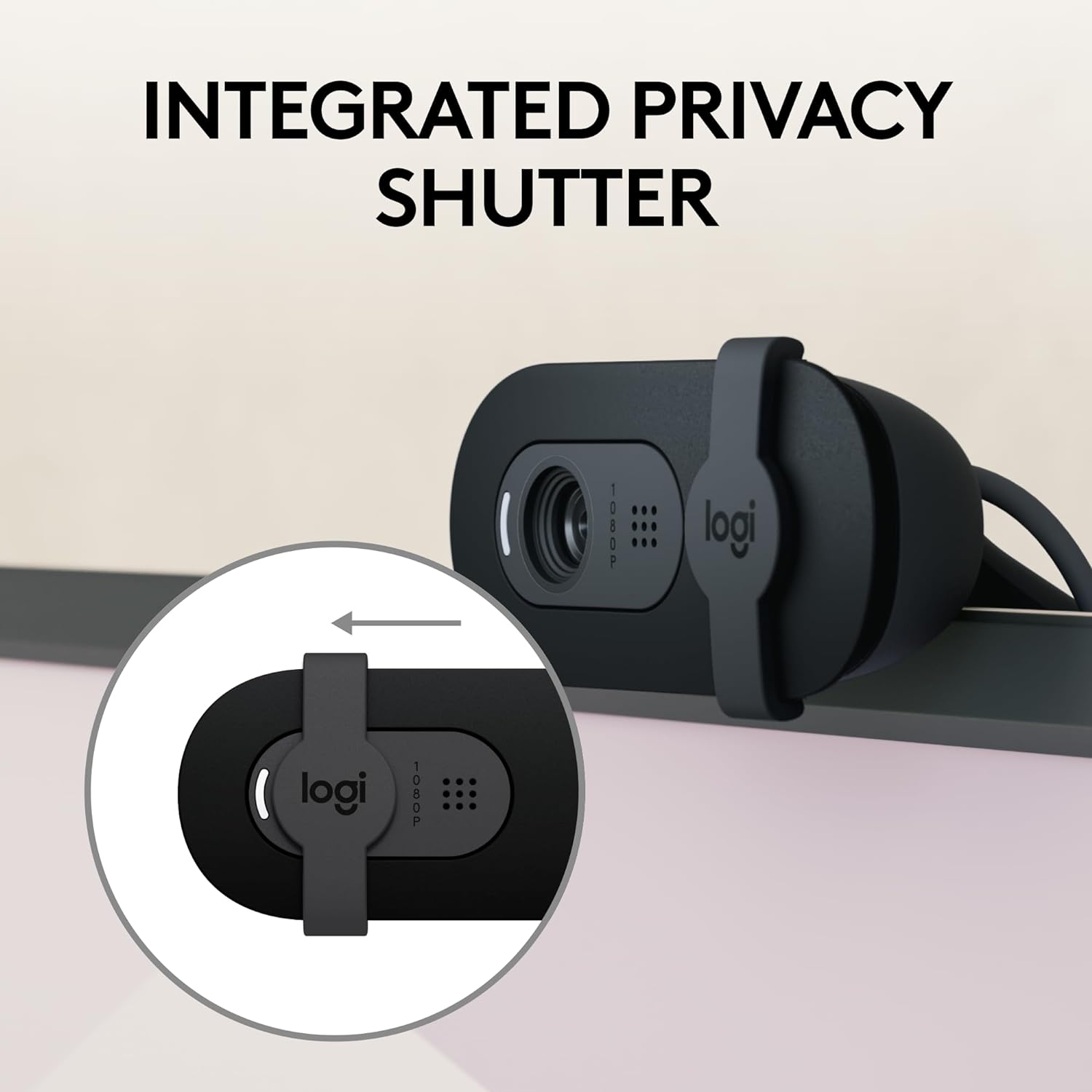
4. Integrated Privacy Shutter
Security and privacy are paramount, and the inclusion of a simple, physical privacy shutter is a highly appreciated feature. This easy-to-use slide mechanism provides a tangible, worry-free way to ensure the camera lens is covered when not in use, offering peace of mind against accidental activation or potential digital intrusion.
5. Wide Compatibility and Use Cases
In addition to major conferencing applications, the camera’s standard USB connectivity ensures broad compatibility. Its potential use extends to casual streaming, content creation, and even niche applications like Nintendo Switch 2’s New GameChat Mode, making it a versatile accessory for a variety of digital activities.
Disadvantages and Areas for Improvement
Despite its strengths, the budget nature of the Brio 101 necessitates a few compromises that potential buyers should be aware of.
1. Fixed Focus (No Autofocus)
Unlike more expensive webcams, the Brio 101 utilizes a fixed focus lens. This means there is no automatic focusing mechanism. While this simplifies the camera, it requires the user to stay within an optimal distance for the sharpest image. Moving too close (such as for showing a document) or sitting too far back can result in a slightly blurry image, making it less flexible than an autofocus model.
2. Basic Built-in Microphone Performance
While the omni-directional built-in microphone is convenient, its audio quality is merely acceptable for standard calls. It may lack the clarity, richness, and noise-filtering capabilities of a dedicated external microphone, or even those found in higher-end webcams. For important presentations or content creation, a separate microphone is strongly recommended.
3. Limited Mounting Flexibility
The universal monitor clip is simple but can be restrictive. Users have noted that it may not sit securely on all monitors, particularly those with very thin or curved bezels. Crucially, the Brio 101 lacks a standard tripod thread, limiting its ability to be mounted on a separate stand for optimal positioning, which is a significant drawback for streamers or users with complex desk setups.
4. 30 FPS Limit
The camera maxes out at 1080p resolution at 30 frames per second. While 30fps is sufficient for video calls, it is noticeably less smooth than the 60fps offered by premium webcams. For fast-paced streaming, gaming, or content creation where motion clarity is critical, this 30fps cap may feel restrictive.
Click to view the best available price
Final Verdict
The Logitech Brio 101 Full HD 1080p Webcam is a highly competent and attractive option for the vast majority of mainstream users. It is an excellent upgrade over most stock laptop cameras, offering a clear 1080p image, effective light correction, and essential privacy features—all wrapped in a user-friendly, plug-and-play package.
The Brio 101 is the perfect choice for anyone needing a reliable camera for daily meetings, virtual classes, or casual video chats who is not concerned with advanced features like 4K, 60fps, or a premium microphone. If your priority is high-quality, hassle-free Full HD video on a tight budget, the Brio 101 delivers remarkable value. However, professionals and serious streamers looking for more robust audio, greater mounting flexibility, or dynamic autofocus should consider moving up to a higher-tier model in the Logitech Brio or C-series.